Hearsound Technology LLP
Audiology Equipment Sales and Services
0

How to Connect Hi-Pro: A Complete Professional Guide for Hearing Care Professionals

18.06.26 06:14 PM Comment(s) By Hearsound Campaigns

                
How to Connect Hi-Pro: A Complete Professional Guide for Hearing Care Professionals  
Published by Hearsound Technology • Clinical Technical Resource

Connecting Hi-Pro Made Simple 

       Reliable connectivity is the foundation of successful hearing aid programming. Whether you are setting up a new workstation or 

              preparing for a patient fitting session, a properly configured Hi-Pro connection ensures seamless communication between your  

fitting software and hearing instruments. 


                                      In this guide, we explore the purpose of the Hi-Pro programming interface, its role in clinical practice, and the steps required to 

                                      establish a stable and efficient programming environment.

Understanding the Hi-Pro Programming Interface 

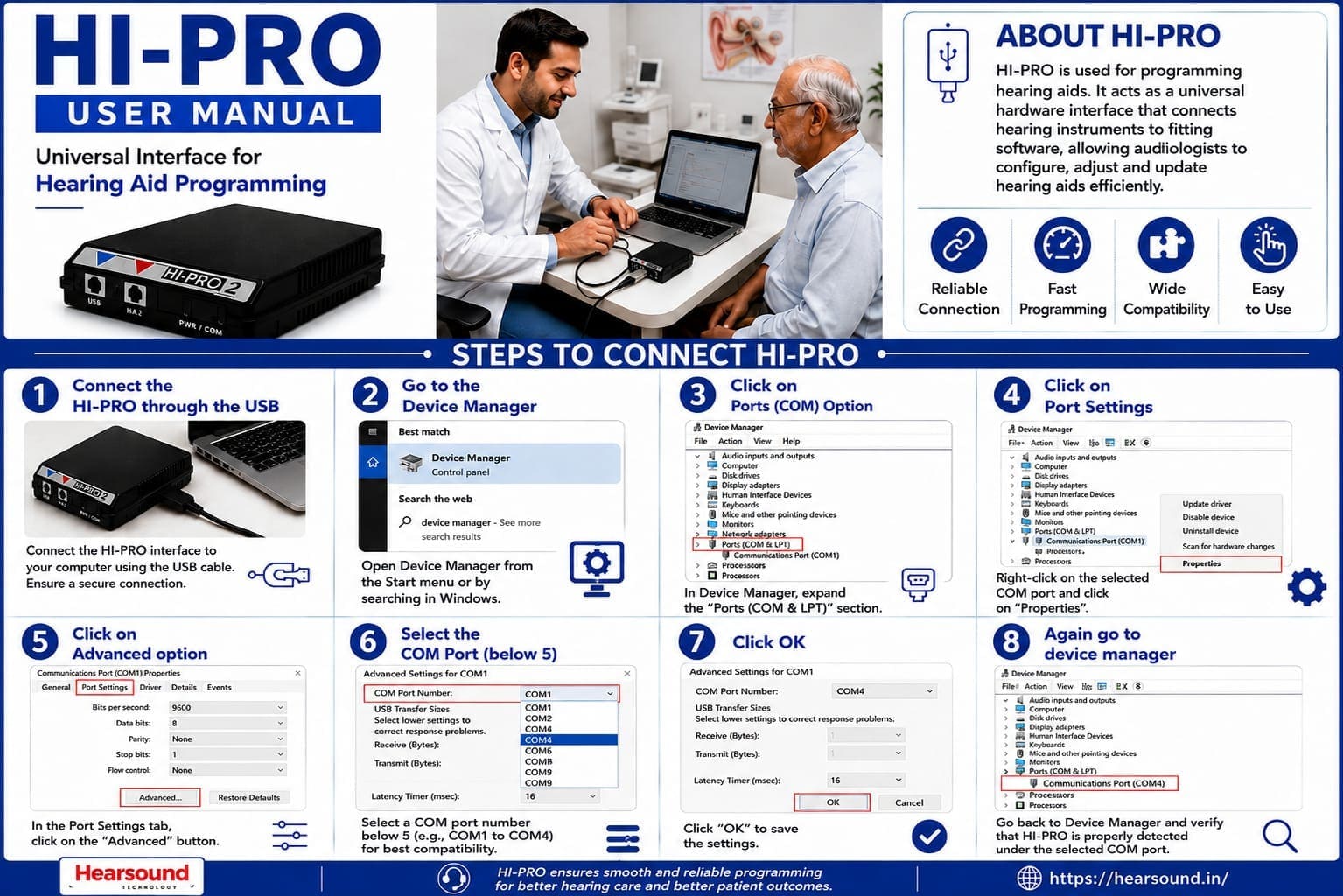
  The Hi-Pro programming interface is one of the most widely used tools in the hearing care industry. It serves as a communication bridge

between hearing aid fitting software and hearing instruments, allowing clinicians to perform programming, fine-tuning, verification, and 

device adjustments with accuracy and confidence.

Key Benefits of a Proper Hi-Pro Connection

                                        Reliable Communication
                                             Ensures consistent data transfer
                                             between fitting software and
                                             hearing instruments
Reduced Errors
Minimizes communication failures
and programming interruptions
                                          Faster Workflow
                                            Supports efficient fitting and
                                            adjustment sessions.
Better Patient Experience
Allows clinicians to focus on
patient care rather than technical
troubleshooting.
                                          Consistent Performance
                                            Maintains stable operation
                                            throughout the programming 
                                            process
Professional Efficiency
Supports streamlined clinical
workflows and improved
productivity.

Why Proper Connectivity Matters

Successful hearing aid programming depends on stable communication between multiple components, including the computer, fitting software, programming interface, and hearing instrument. When connectivity issues occur, clinicians may experience delays, programming failures, or communication interruptions that affect both productivity and patient satisfaction.

By creating a reliable connection between software and hearing devices, Hi Pro helps hearing care  professionals deliver
a smoother fitting experience while maintaining programming precision.
Common Troubleshooting Tips

Even with a properly configured system, occasional communication issues may occur.

This detailed troubleshooting guide provides field-tested recommendations to isolate

and resolve common connectivity problems immediately.


🚨 Device Not Detected / Unresponsive Unit

POTENTIAL CAUSES

Loose physical USB socket contact points.

The fitting software is frozen or stuck in a port-locking loop.

Interface connected to an unpowered external split multi-hub.

POSSIBLE SOLUTIONS

Verify USB connections and reconnect.

Restart the fitting software suite completely.

Disconnect and reconnect the Hi-Pro interface unit to reset power lines.

Try an alternative, dedicated physical USB port location.


🚨 Communication Failure during Active Sessions

POTENTIAL CAUSES

Hearing instrument battery voltage levels are completely depleted.

Incompatible software profile loaded into the terminal module.

POSSIBLE SOLUTIONS

Verify all programming cable connection points are fully pushed in.

Confirm strict hearing instrument compatibility and swap with new batteries.

Re-establish connection communication protocols through the software wizard

interface.

🚨Driver Issues & COM Port Port Mismatches

POTENTIAL CAUSES

Windows OS auto-update reallocated virtual port indexes above COM9.

Corrupted or missing legacy USB-to-serial device drivers.

POSSIBLE SOLUTIONS

Ensure drivers are correctly installed and checked inside Windows Device Manager.

Update software and device drivers using clean manufacturer installation files.

Restart the computer architecture immediately after any device driver modification.
How Hearsound Technology Supports Hearing Care Professionals
A properly configured Hi-Pro setup forms the foundation of efficient and accurate hearing aid programming's
At Hearsound Technology, we are committed to supporting hearing care professionals with reliable audiology solutions, technical 
expertise, and professional guidance. Our mission is to help clinics, hospitals, hearing care centers, and audiologists deliver exceptional hearing 
outcomes through dependable technology and industry-leading support.

Hearsound Campaigns

Share -
Items have been added to cart.
One or more items could not be added to cart due to certain restrictions.
Close
Added to cart
Your cart has item(s).
- Can't add this product to the cart now. Please try again later.
Quantity updated
- An error occurred. Please try again later.
Deleted from cart
- Can't delete this product from the cart at the moment. Please try again later.